Dear Partners,
We are pleased to announce that the APSDAI Reseller System Beta version is now live. For software sales companies, the reseller system is an absolutely essential feature that makes distribution easier.
Based on years of software agency and sales experience, we have introduced a more convenient reseller system that provides great promotional convenience for both software vendors and reseller merchants.
Now let us introduce this system. Please note that it is still in beta.
Merchant Side
In the merchant dashboard under Reseller System -> Configuration, we have preset some configuration options that can be personalized according to your actual needs.
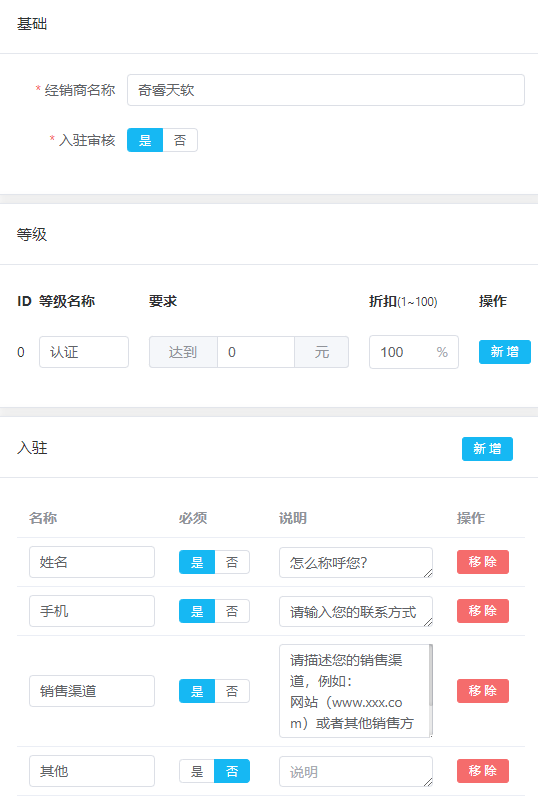
Merchant Name: This name will be displayed in the reseller registration application and reseller accounts.

Levels: For quick configuration, we have preset 1 reseller level. You can configure multiple reseller levels according to your needs.

Registration Information: We have preset some information fields required for registration applications for your convenience, but you can add or modify them according to your needs.

Set Products Available for Reseller Purchase: To help you quickly understand the settings, we have preset a test product template. You can set minimum order quantities and corresponding discounts. Note that product bulk discounts will be stacked with reseller discounts.
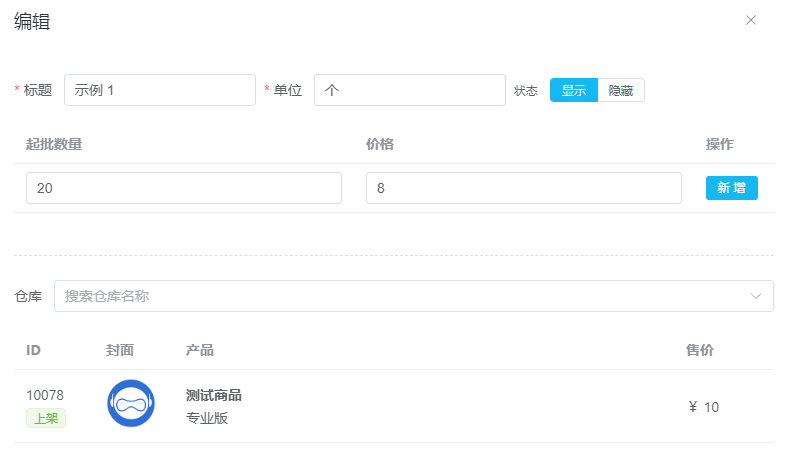
Completing the above operations means the merchant setup is complete.
Next, go to the "Users" section. Your exclusive reseller registration invitation URL will be displayed in the top right corner.

After you publish the reseller registration invitation link, when users register accounts and submit applications, you will see their application information in the "Users" section. You can edit user status, approve, reject, or disable. After your action, applicants will receive email notifications.
Credit Top-up: You may want to add some credit balance for a reseller to support their initial sales.

Reseller Side
After users register using the exclusive reseller registration URL and pass account verification, they enter the main page.
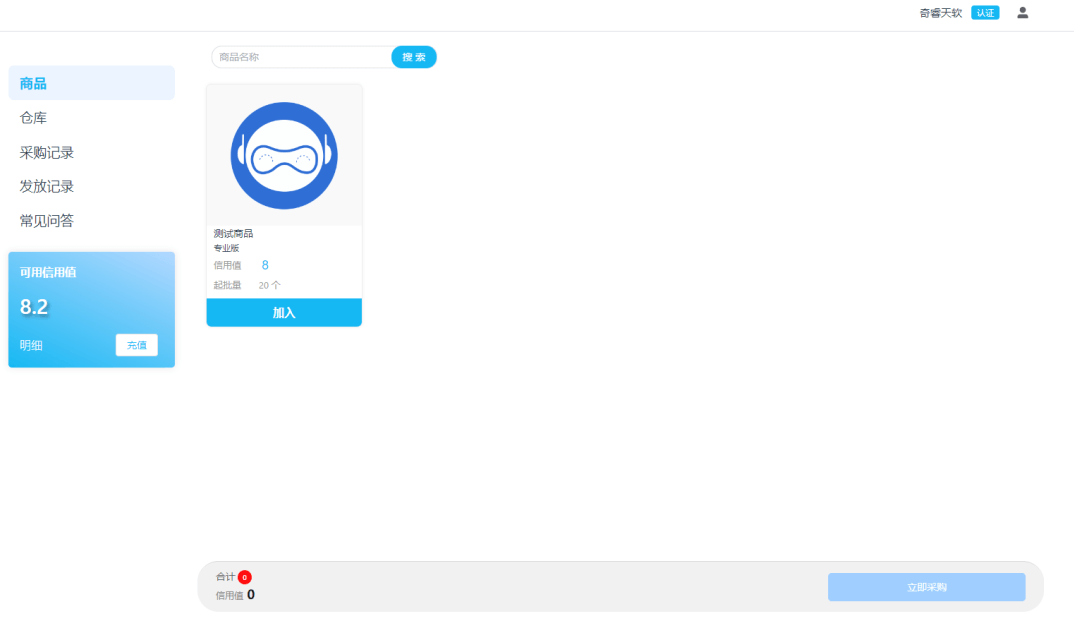
Credits: Resellers can top up credits online themselves, or contact the merchant to reset credits offline.

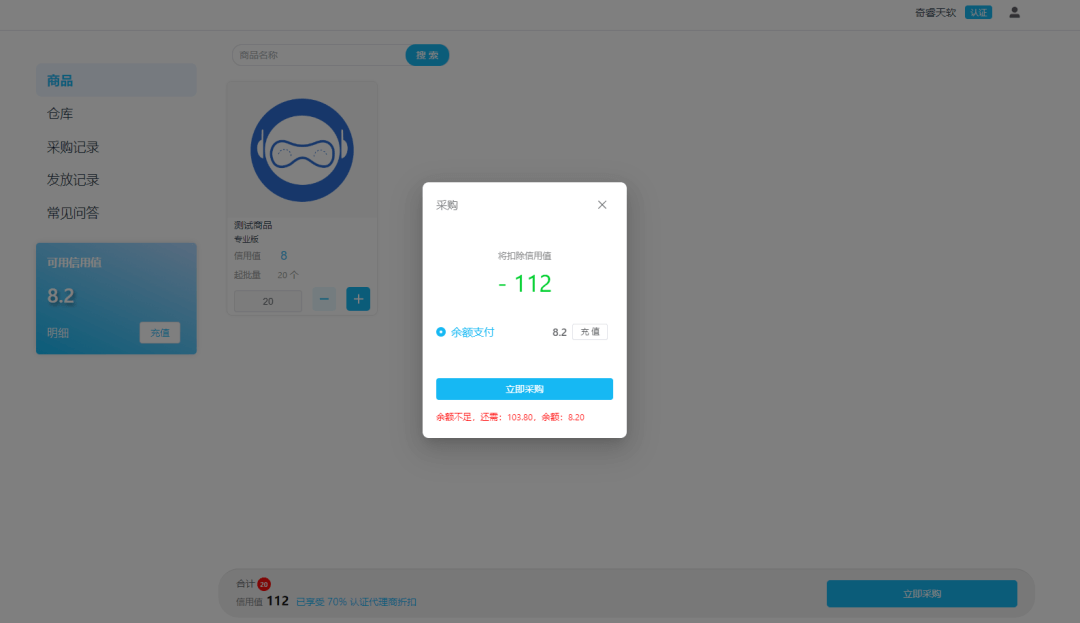
Inventory: Resellers can easily distribute license keys to end users. We have added a confirmation popup so resellers can verify end user and product information before distribution.
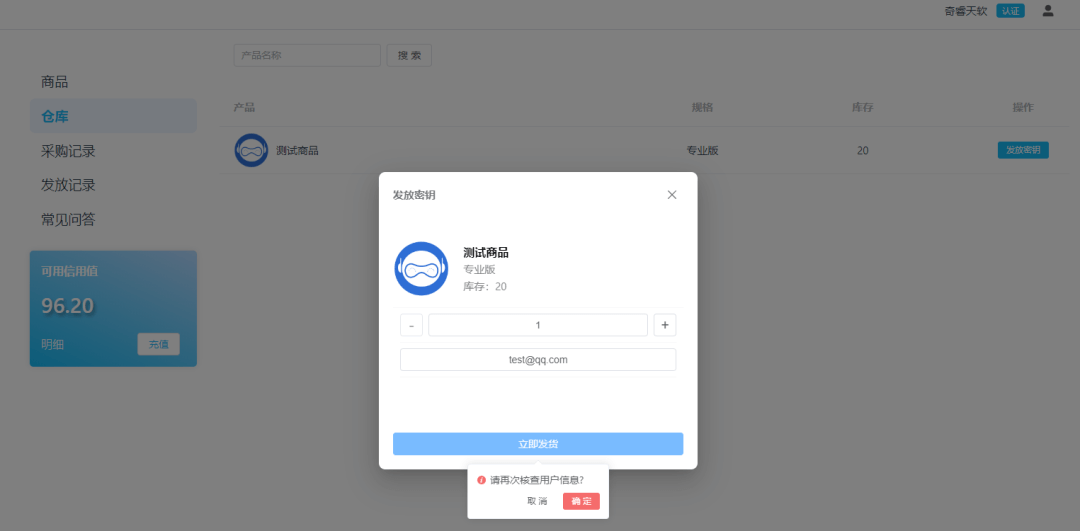
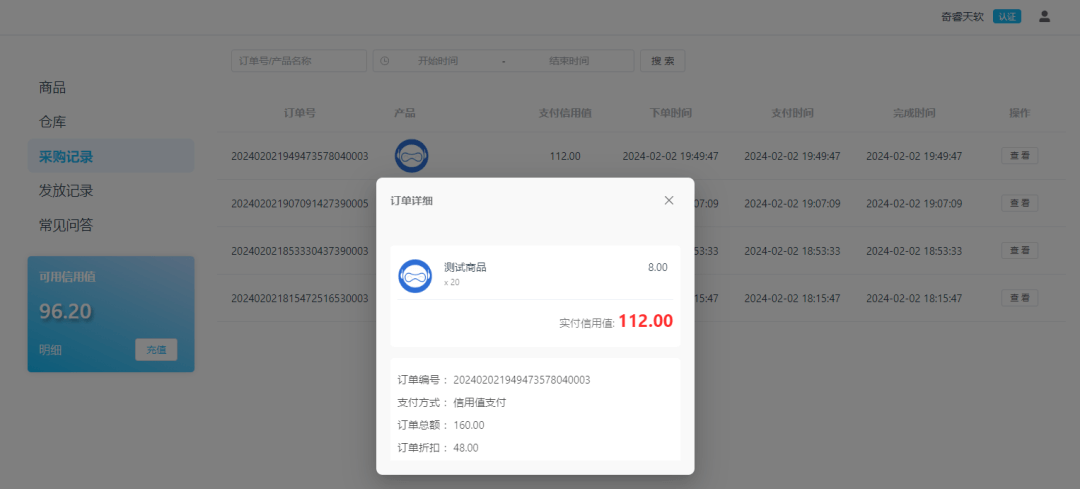
Purchase Records: Every reseller purchase has complete records available for review.
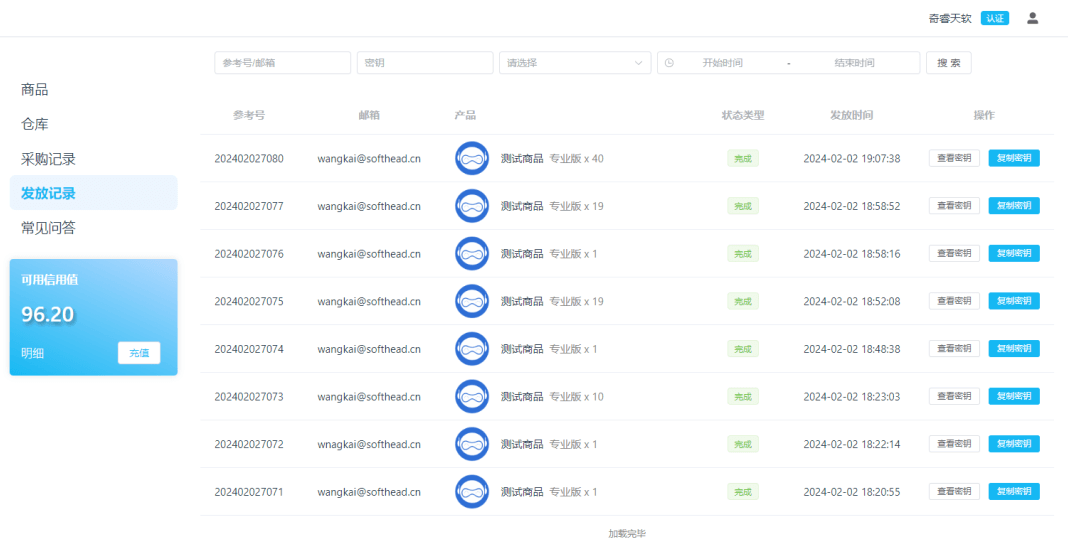
Distribution Records: Every distribution order can be easily queried through distribution records, with support for filtering by date, email, and time. One-click key copying is supported.
FAQ: Set up FAQs for resellers to quickly understand the reseller system.

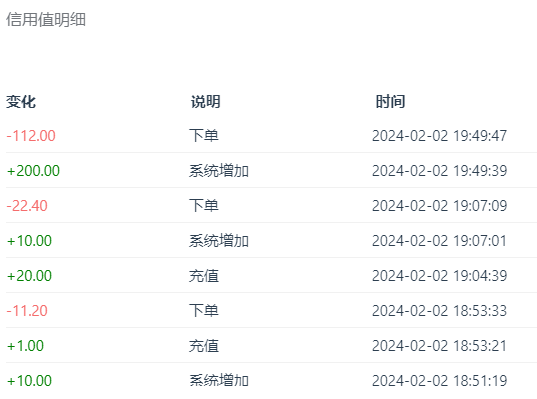
Credit History: The credit history list clearly shows credit increases and decreases with dates.
The above is an introduction to the APSDAI Reseller System features. The system is still in beta, and we will continue to update with more useful features. If you have any questions, please provide feedback and we will improve as soon as possible.
Thank you for your support!
The APSDAI Team