In certain scenarios, you may want to track user clicks and order conversion rates. This is where the "Affiliate Program" statistics feature becomes essential.
Let's walk through how to set this up step by step.
Step 1: Add Affiliate Product
Go to "Affiliate System - Affiliate Products" and add a new affiliate product.
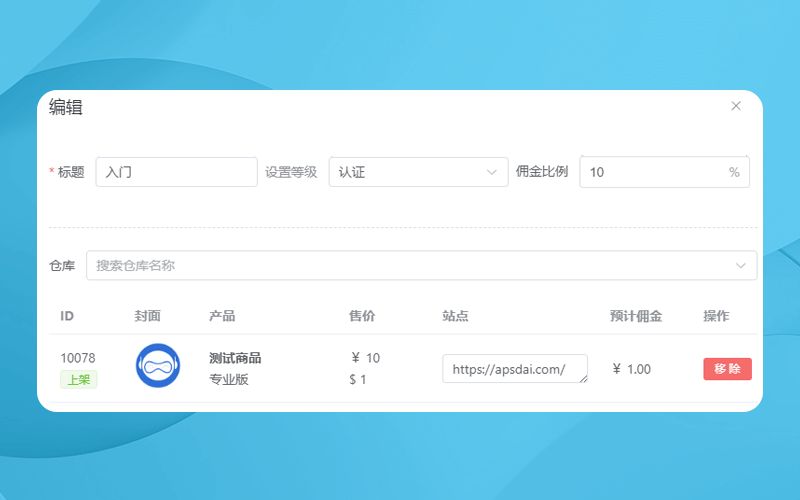
Site: Enter the webpage URL where this product purchase is deployed.
Step 2: Register Affiliate User
Go to "Affiliates" and check the "Affiliate Invitation Registration URL" in the top right corner. Follow the prompts to register and log in.
Step 3: Approve User
Step 4: Get Exclusive Affiliate Link
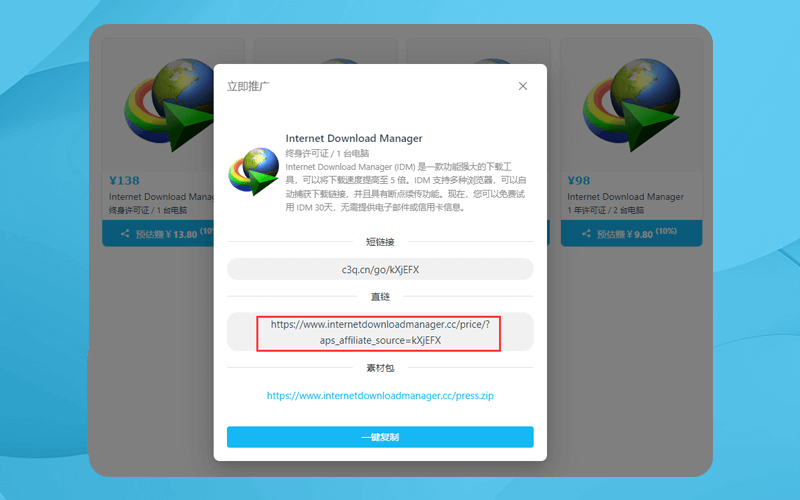
Log in to the affiliate system, view available products, and get your exclusive affiliate link.
Notes
If you want a page that opens with the payment window already displayed, simply add the product ID to the link.
Example:
https://www.internetdownloadmanager.cc/price/?aps_affiliate_source=kXjEFX#apsdai-10483