This guide is for affiliate users, introducing how to use the affiliate program for product promotion and commission withdrawal.
Affiliate Dashboard
After registering through the exclusive affiliate registration link and passing account review, you can access the affiliate dashboard.
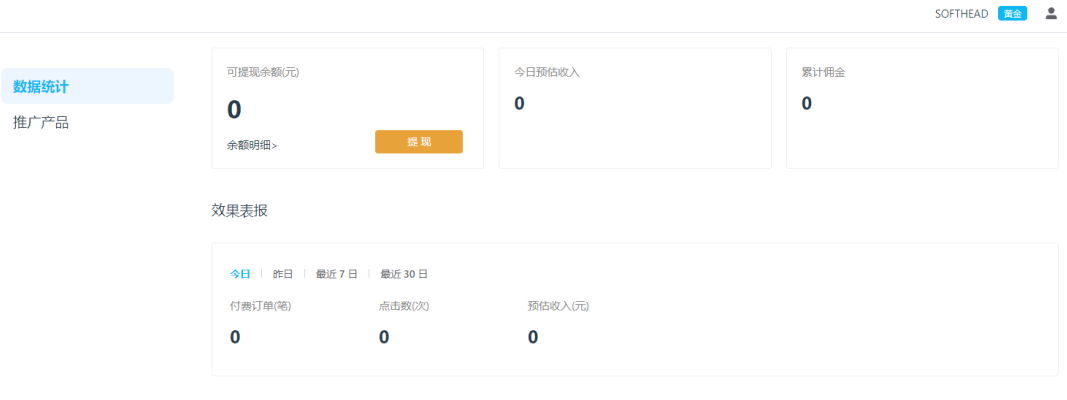
Affiliate Dashboard Interface
Promote Products
On the products page, you can view the software authorized for promotion at your current tier and your exclusive referral links:
Products Page
Referral Link Types
| Link Type | Description |
|---|---|
| Short Link | APSDAI's short link service, visits through short links directly generate clicks |
| Direct Link | Through direct links, clicks are only counted when the purchase button is clicked |
| One-Click Copy | Copy all product info including title, version, description, short link, direct link, and resource pack |
Resource Pack Download
You can download product resource packs for promotional use. Resource packs are uploaded by merchants in product details.
Withdrawal
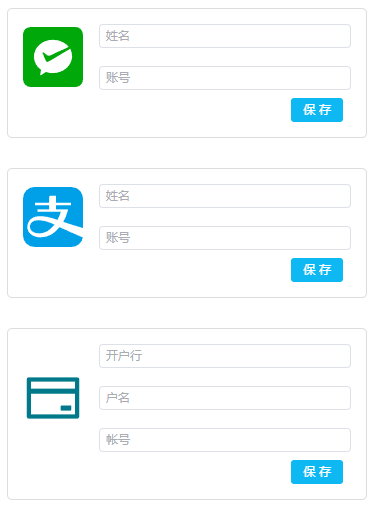
You can customize your preferred payment method. Currently supported:
- Alipay
- Bank Account
Withdrawal Limit
Must exceed $50 to request withdrawal (actual amount depends on merchant settings).
Affiliate Tiers
The system has multiple affiliate tiers with different commission rates:
| Tier | Description |
|---|---|
| Silver | Default tier for new registrations |
| Gold | Auto-upgrade when referral amount reaches threshold |
| Diamond | Auto-upgrade at higher amounts, highest commission |
Feature Overview
Referral Links
Short links, direct links, one-click copy
Commission Withdrawal
Supports WeChat, Alipay, bank transfer
Data Statistics
Click tracking, order count, commission stats
Resource Download
Download product promotional resource packs