In the Merchant Center's "Marketing - Flash Sales", you can create limited-time flash sale events with custom timing and promotional prices.
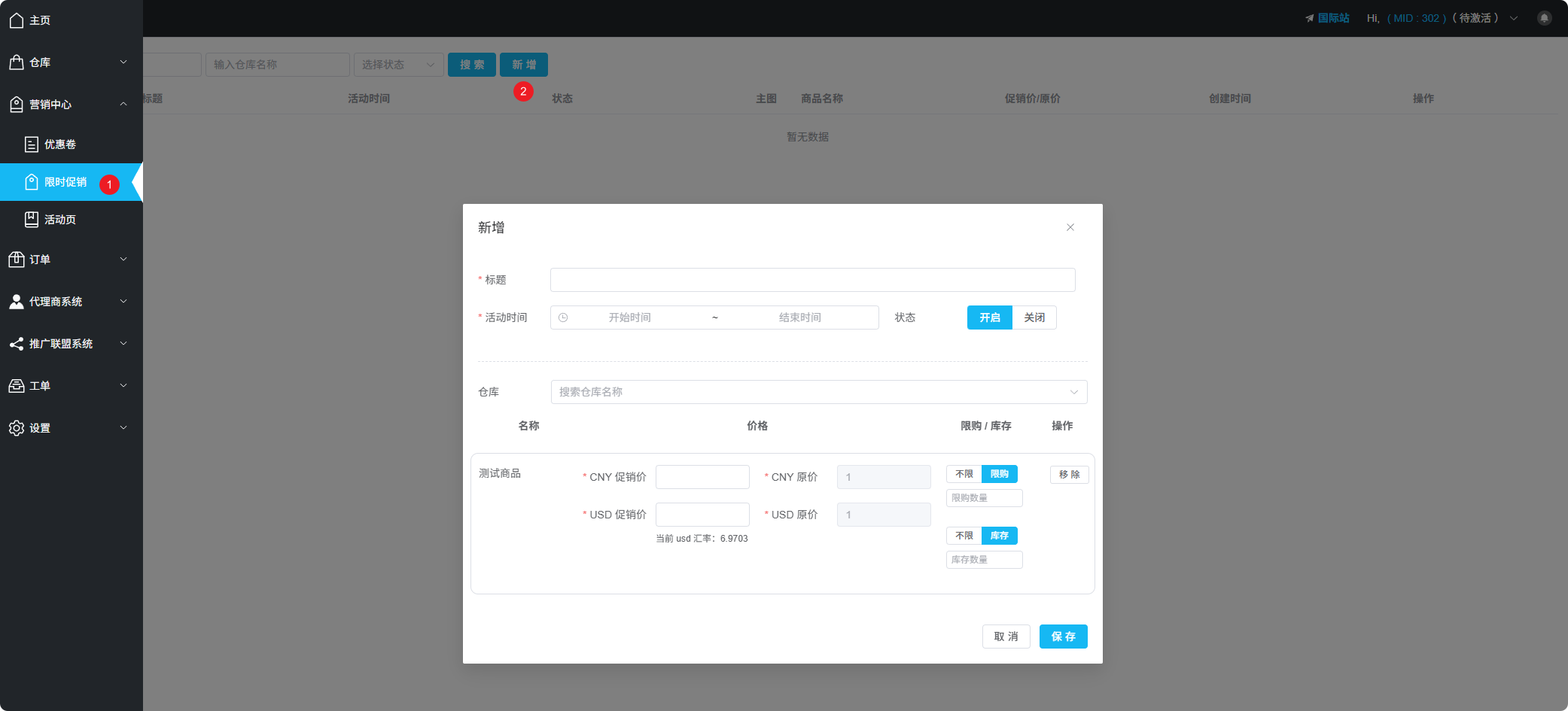
Marketing Center - Flash Sale Configuration Interface
Feature Overview
Flash sales are perfect for limited-time deals. You can set the start and end time for the event.
Configuration
| Configuration | Description |
|---|---|
| Title | Set a name for this event |
| Event Time | Set the start and end time for the event |
Product Settings
In the "Warehouse" section, you can search for products and set the following parameters for items on sale:
| Configuration | Description |
|---|---|
| Sale Price | Set the promotional price for this sale |
| Purchase Limit | Maximum quantity per purchase to prevent bulk buying |
| Stock | Stock quantity for this sale, reverts to original price when sold out |
Purchase Limit Note
Purchase limit means each order can only buy up to N items, used to prevent bulk purchasing by increasing quantity.