In the Merchant Center, go to Settings - Language Library to customize translations of merchant information into English or Traditional Chinese.
Feature Overview
The APSDAI system has built-in automatic translation API, but sometimes the translations may not be precise enough, so you can make corrections here.
Auto Translation
The system has built-in auto translation. Most content doesn't need manual translation. The language library is mainly for correcting imprecise auto translations.
Supported Modules
You can select the following modules for translation corrections:
- Basic Info - Merchant basic information translations
- Email - Email template content translations
- Affiliate FAQ - Affiliate program FAQ translations
- Affiliate Notifications - Affiliate notification content translations
- Reseller FAQ - Reseller FAQ translations
- Reseller Notifications - Reseller notification content translations
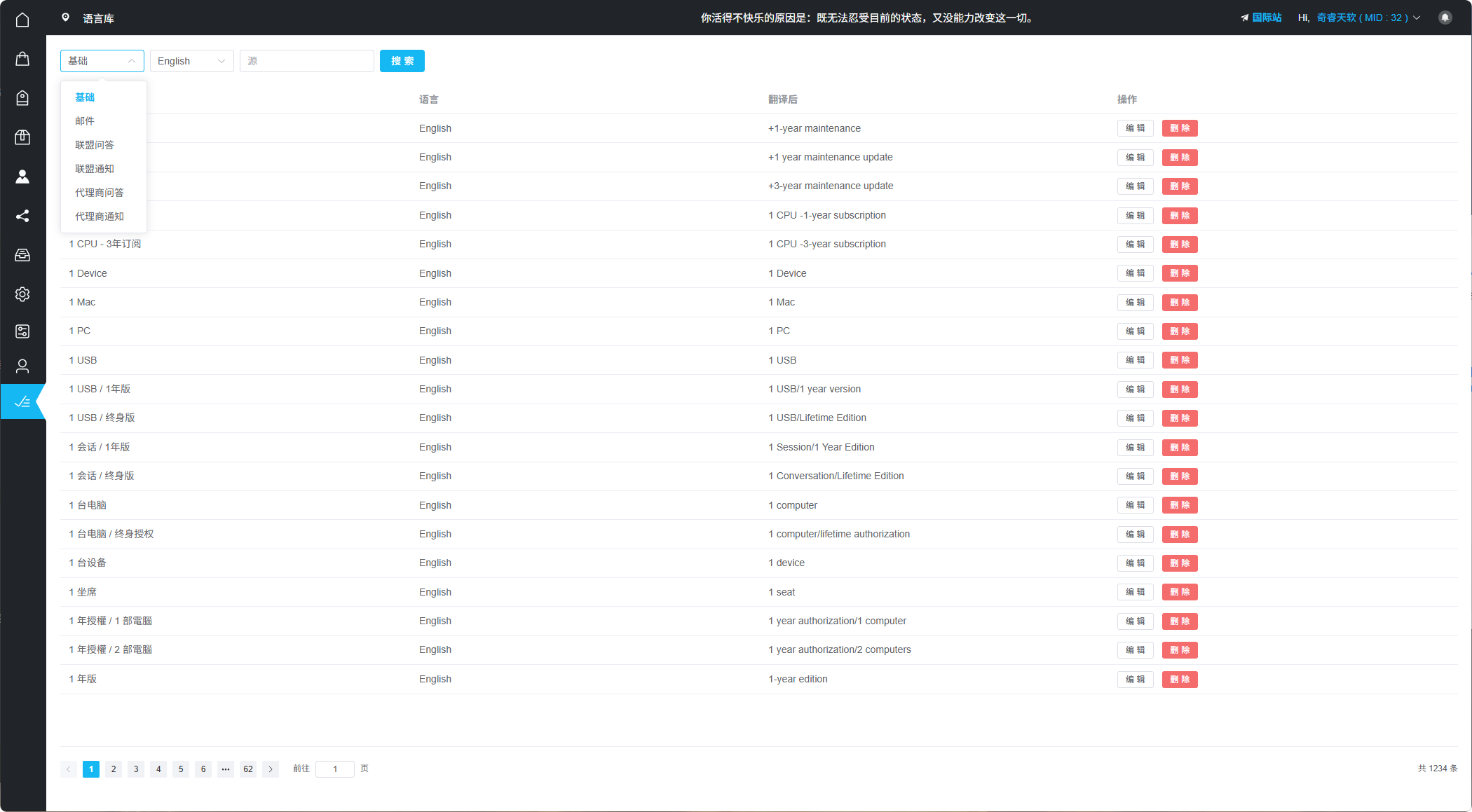
Language Library Module Selection
How to Use
Steps:
- Select the module to modify
- Select target language (English or Traditional Chinese)
- Search for content to modify by keyword
- Edit translation content and save
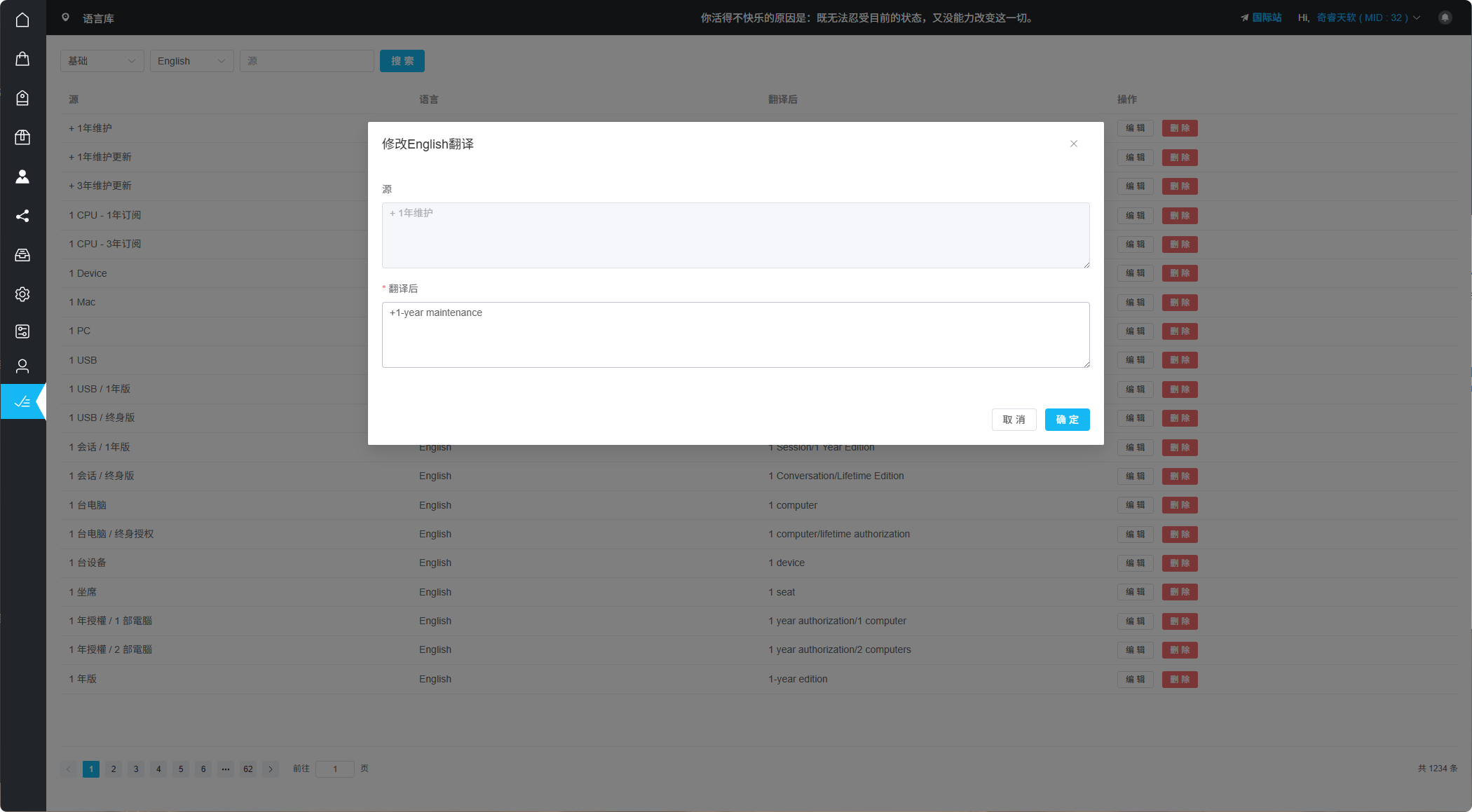
Language Library Editor Interface