In the Merchant Center's "Settings - Configuration - Email Configuration" page, you can set sender information and email templates for order emails.
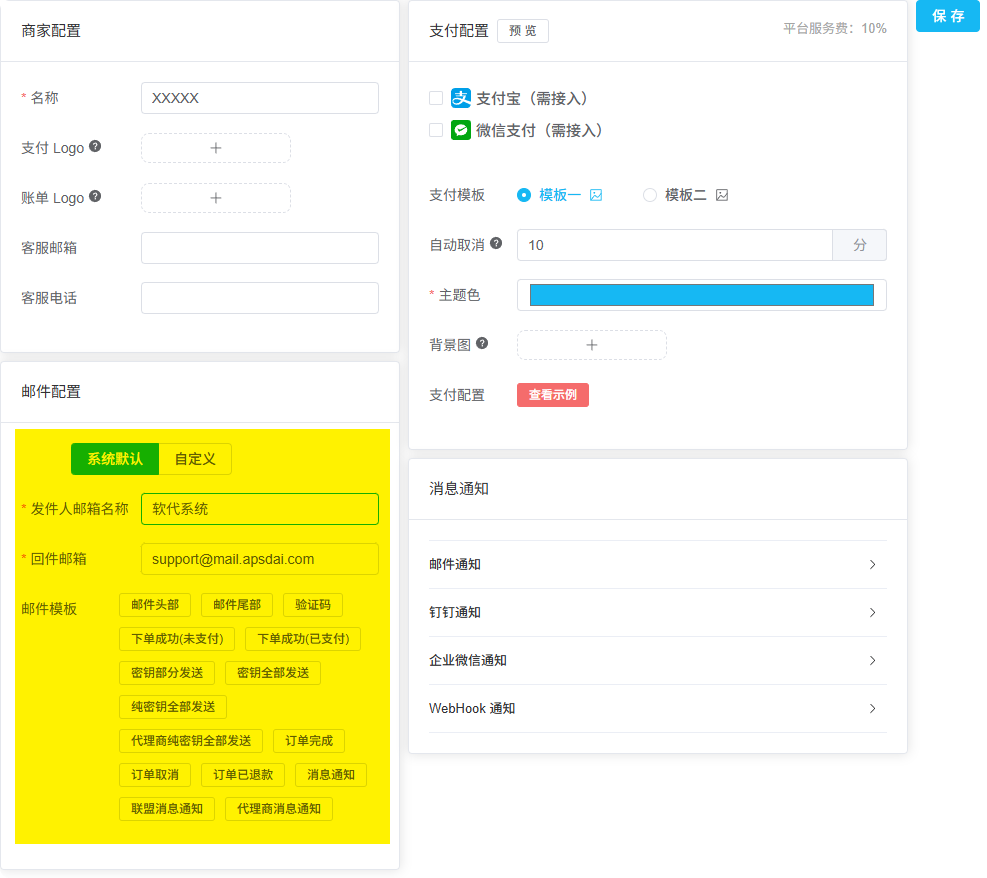
Merchant Center Email Configuration Page
Basic Configuration
| Configuration | Description |
|---|---|
| Sender Email Name | Order-related emails received by customers will display this name as the sender |
| Reply-to Email | When users reply to emails, the email will be sent to this address |
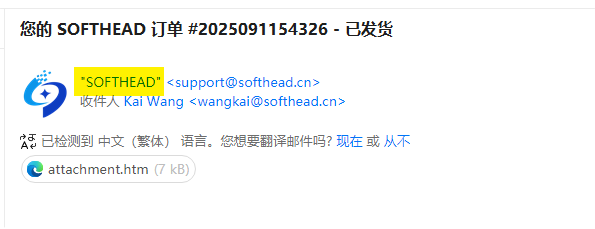
Email Sender Name Display Effect
Email Templates
The system has built-in delivery templates. If you need custom templates, you can switch from "System Default" to "Custom" mode.
Custom Templates
After switching to custom mode, you can:
- Edit email content and styles
- Use variable parameters to dynamically insert order information
- Click "Send Test" to preview the final result
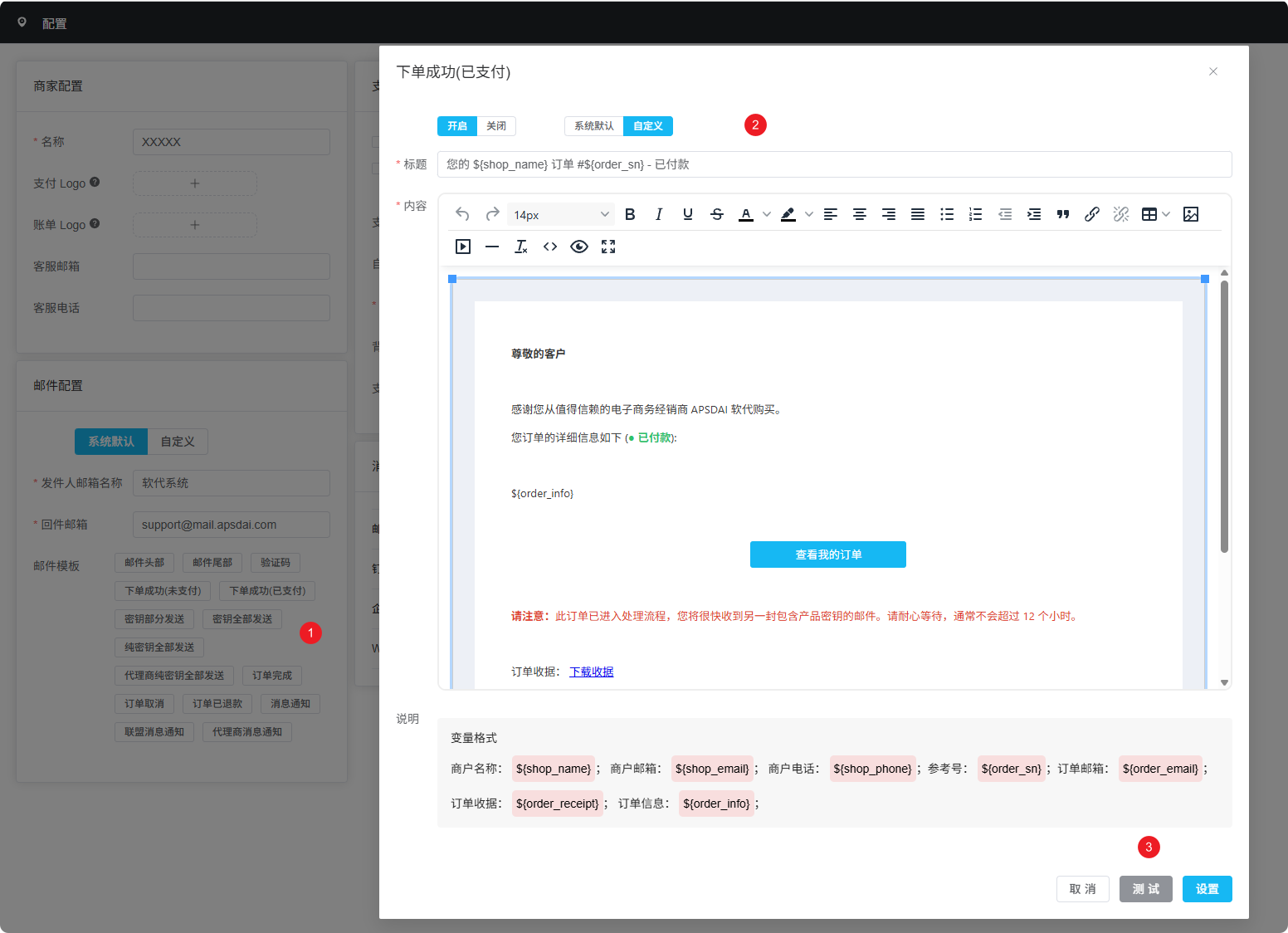
Custom Email Template Editor
Order Email Types
By default, to ensure the completeness of the order process, customers will receive the following 4 emails:
Order Placed
Payment Complete
Key Delivery
Order Complete
Reduce Email Count
If you find there are too many emails, you can disable some email notifications in the email configuration.