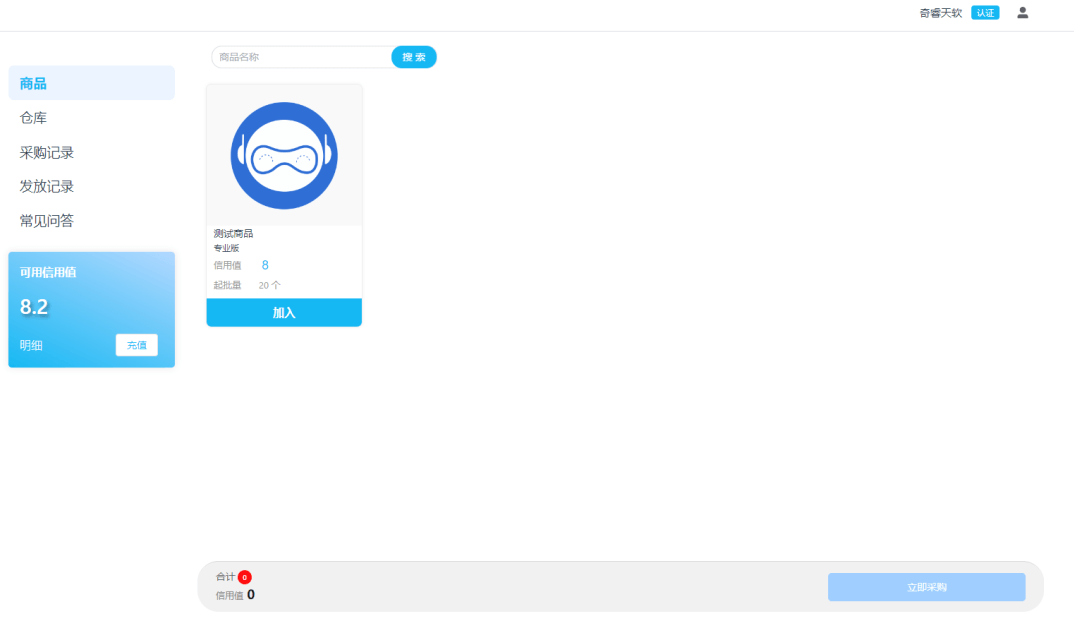
This guide is for reseller users, introducing how to use the reseller system for product procurement, key distribution, and account management.
Reseller Dashboard
After registering through the exclusive reseller registration link and passing account review, you can access the reseller dashboard.
Credits
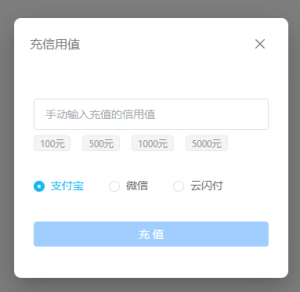
Credits are virtual currency in the system used for purchasing products. You can obtain credits through:
- Online Recharge - Self-service online credit recharge
- Offline Recharge - Contact the merchant for offline recharge
Warehouse Management
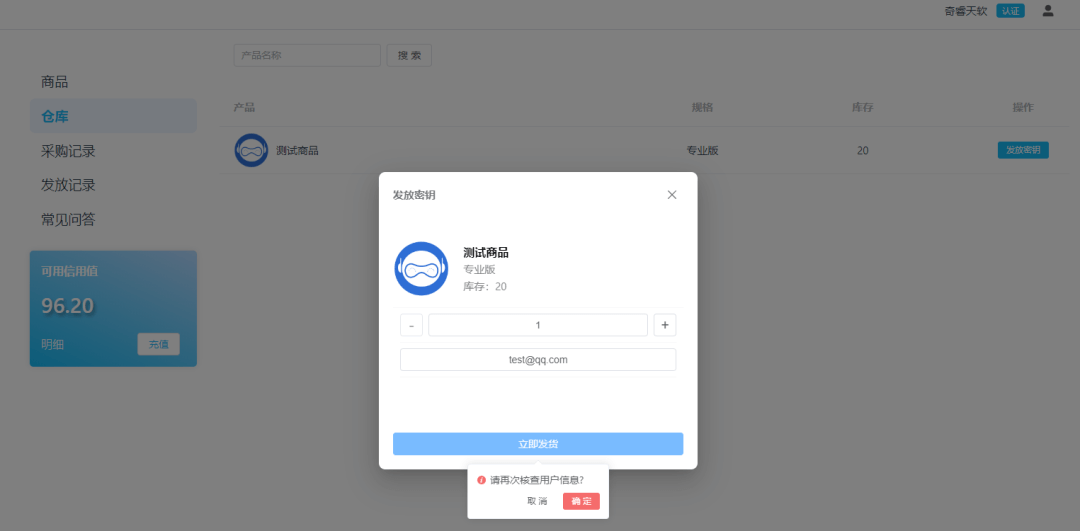
In the warehouse, you can easily distribute keys to end users.
The system has a confirmation popup to let you verify end user and product information before distribution, avoiding errors.
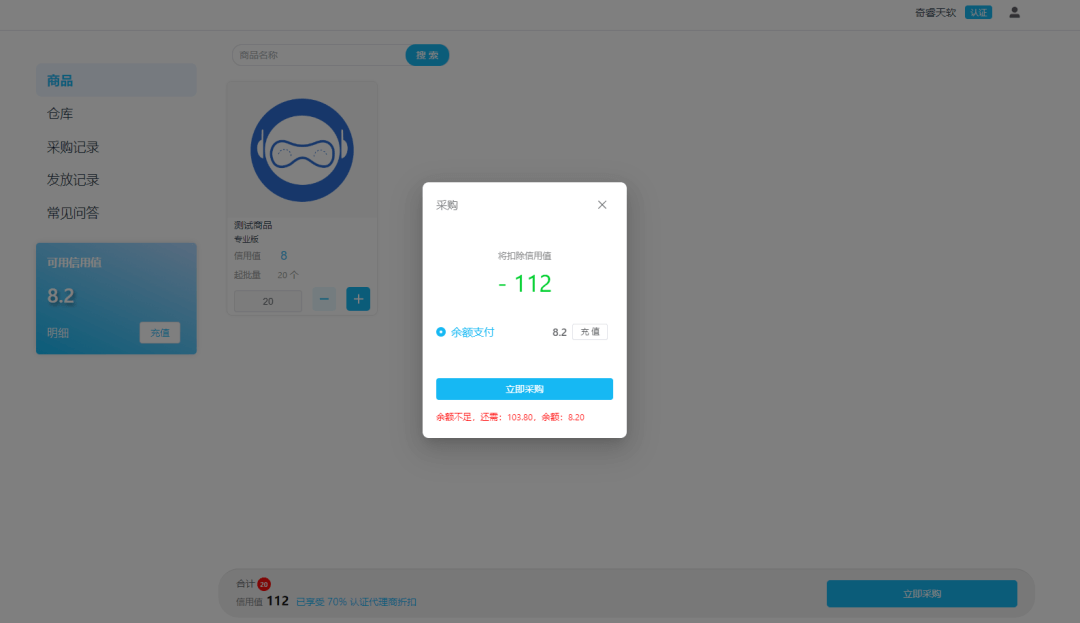
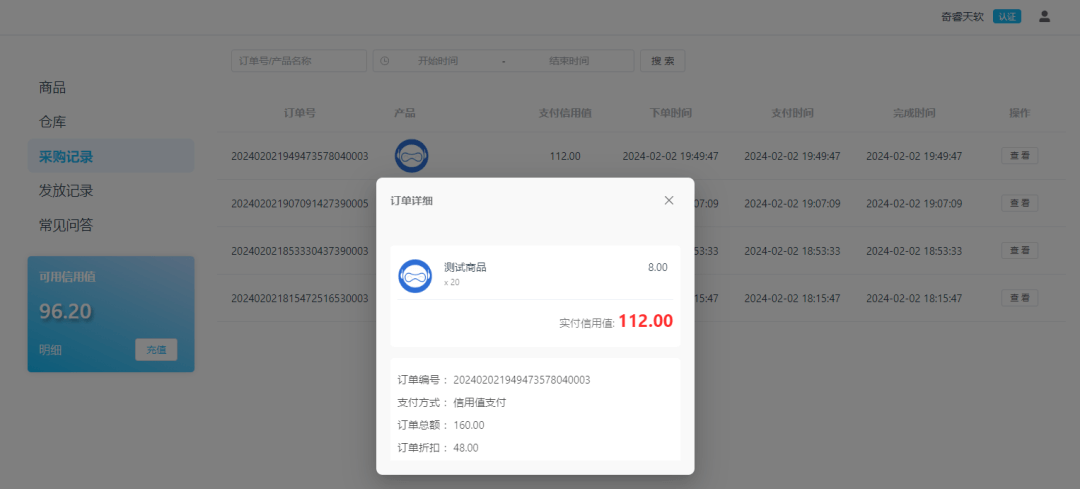
Purchase Records
Every purchase has complete records for easy accounting and business analysis.
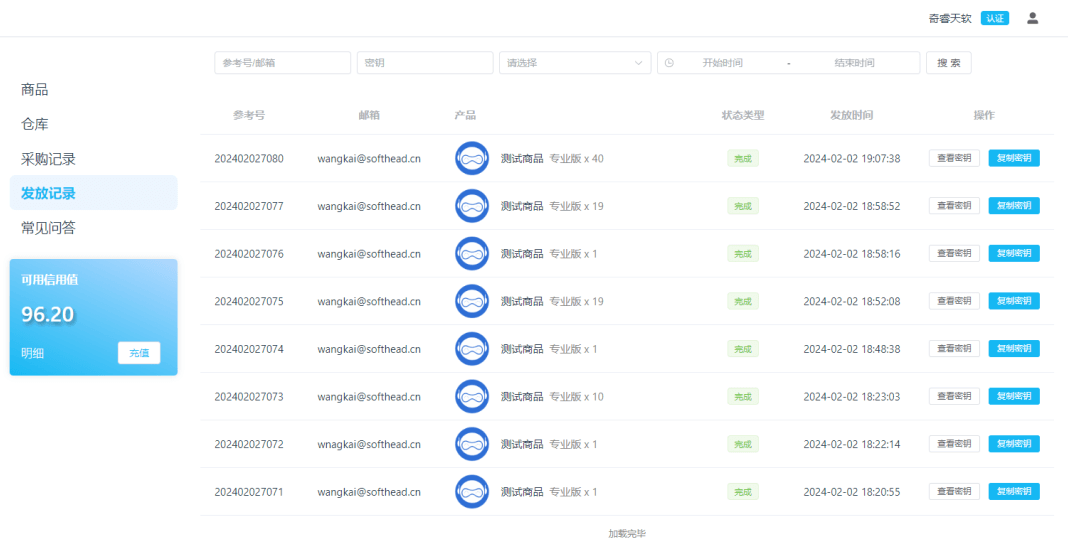
Distribution Records
Every distribution order can be easily queried through distribution records, supporting multiple filters:
- Date Filter - Query by distribution date
- Email Filter - Query by user email
- Time Filter - Query by specific time period
- One-Click Copy - Support one-click key copying
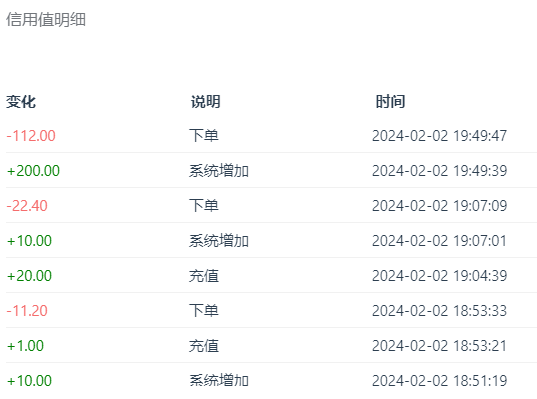
Credit History
The credit history list clearly shows credit changes and dates for easy financial management.