If you forgot to fill in invoice information when placing an order, you can apply for an invoice through the user portal without contacting support.
Advantages
Instant Response
Process invoice requests immediately, no waiting for support
Easy Operation
Intuitive interface, easy to use even for first-time users
Improved Efficiency
Save time, no need to wait for support processing
Steps
1
Login to User Portal
Login with your order email via verification code at https://client.apsdai.com/
2
Find the Order
Find the order that needs an invoice in the order list
3
Fill Invoice Info
Fill in invoice title, tax number, and other invoice information
4
Submit Request
After submission, wait for invoice completion, typically 1-3 business days
5
Download Invoice
You will receive an email notification when complete, download the invoice from order details
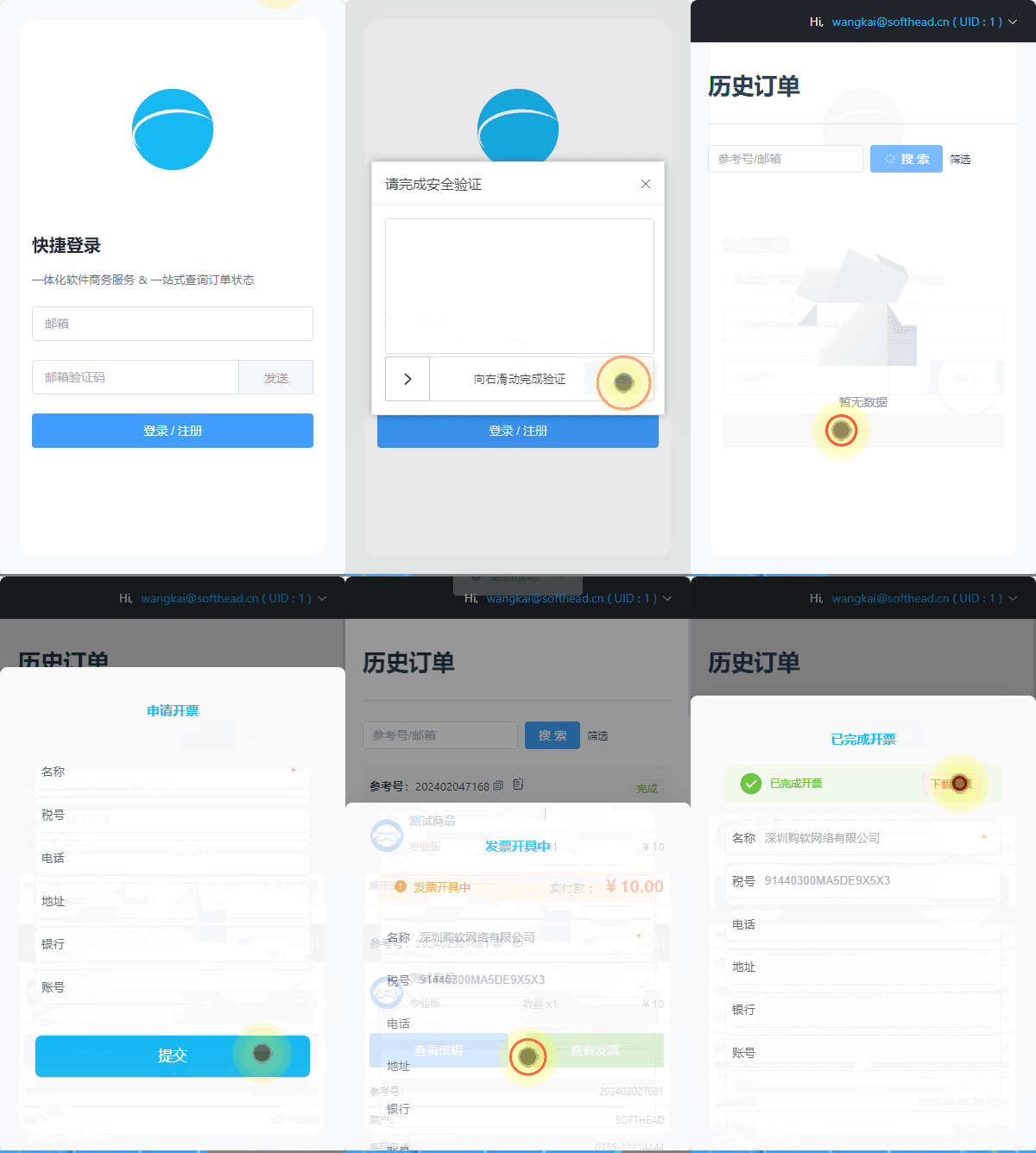
Self-Service Invoicing Demo
Processing Time
Invoice processing typically takes 1-3 business days. Once complete, the system will automatically send an email notification, and you can download the invoice file from the order details.