In the Merchant Center's "Orders - Order List", you can view and manage all order data under your merchant account.
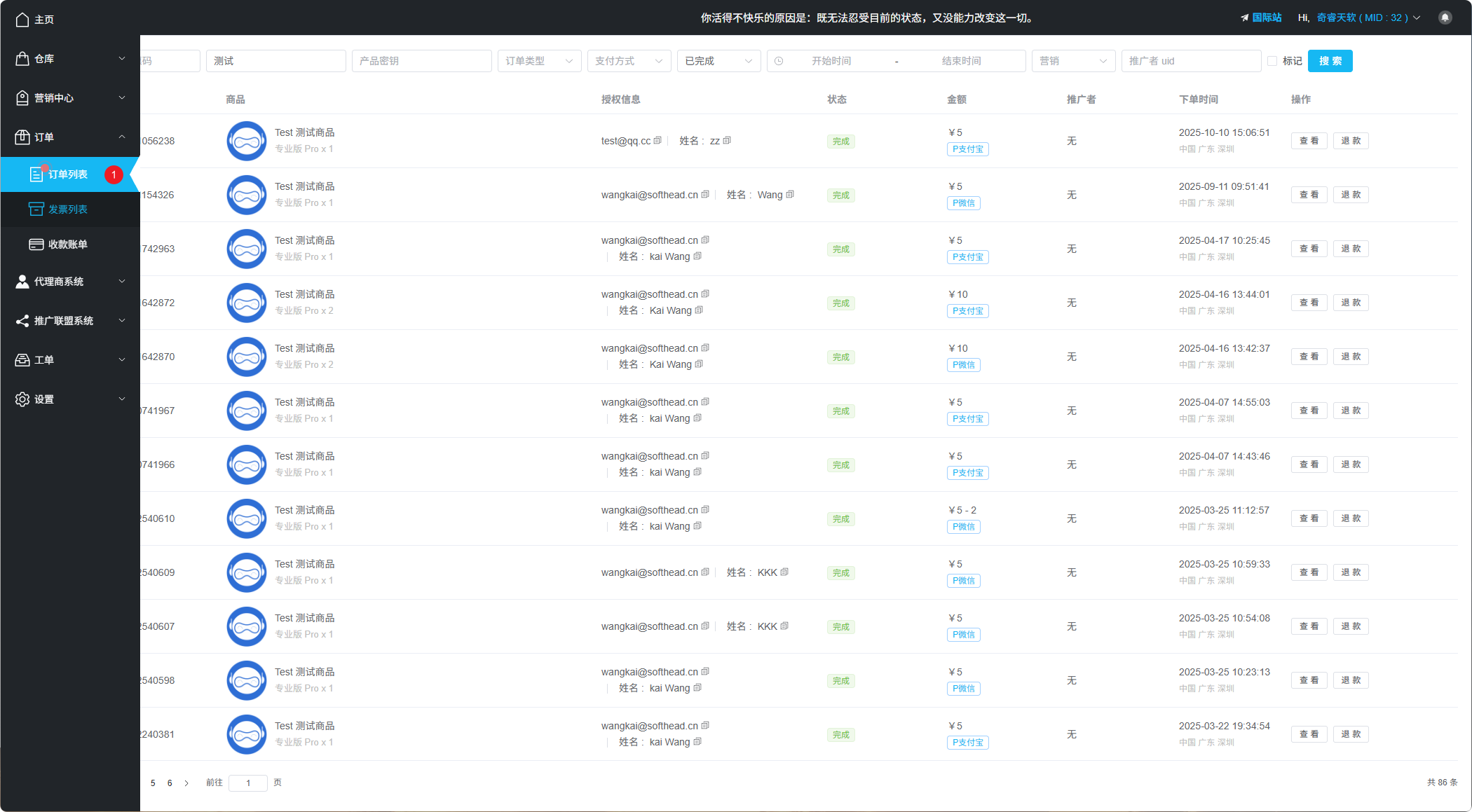
Order List Interface
Order Search
We provide powerful order search functionality, allowing you to find and filter order data comprehensively:
| Filter Criteria | Description |
|---|---|
| Keyword Search | Search by coupon code or reference number |
| Product Name | Filter orders by product name |
| Product Key | Find related orders by license key |
| Order Type | Regular orders, Reseller orders |
| Payment Method | Filter by payment channel |
| Time Range | Select time period to find orders |
| Affiliate UID | Filter all promotional orders by a specific affiliate |
Order Status
Orders can be filtered by the following statuses:
- Pending Payment - Waiting for customer to complete payment
- Pending Upload - Waiting for customer to upload documents
- Pending Review - Waiting for merchant to review documents
- Pending Delivery - Waiting to send license key
- Completed - Order completed
- Cancelled - Order cancelled
- Refunded - Order refunded
Order Details
Select an order and click the "View" button to see the detailed order data. In the order details, you can perform the following operations:
- Add order notes
- Modify the email address in the order
- Resend license key
- Initiate refund
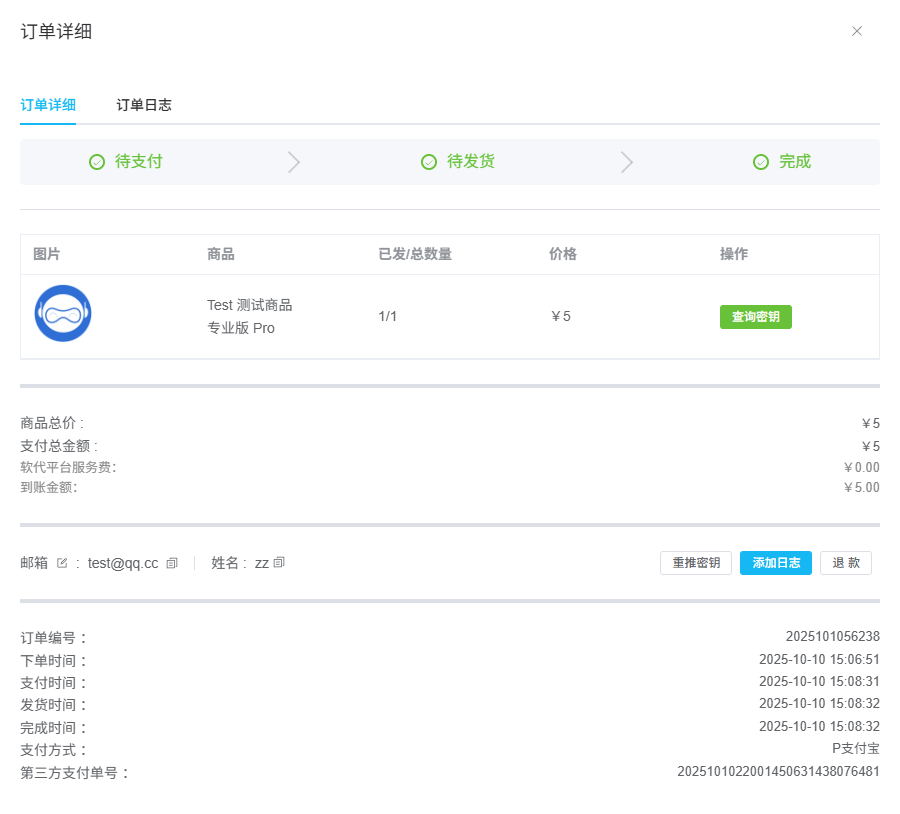
Order Details Page
Replace License Key
If there's an issue with a license key, you can replace it with a new one for the customer in the order details.
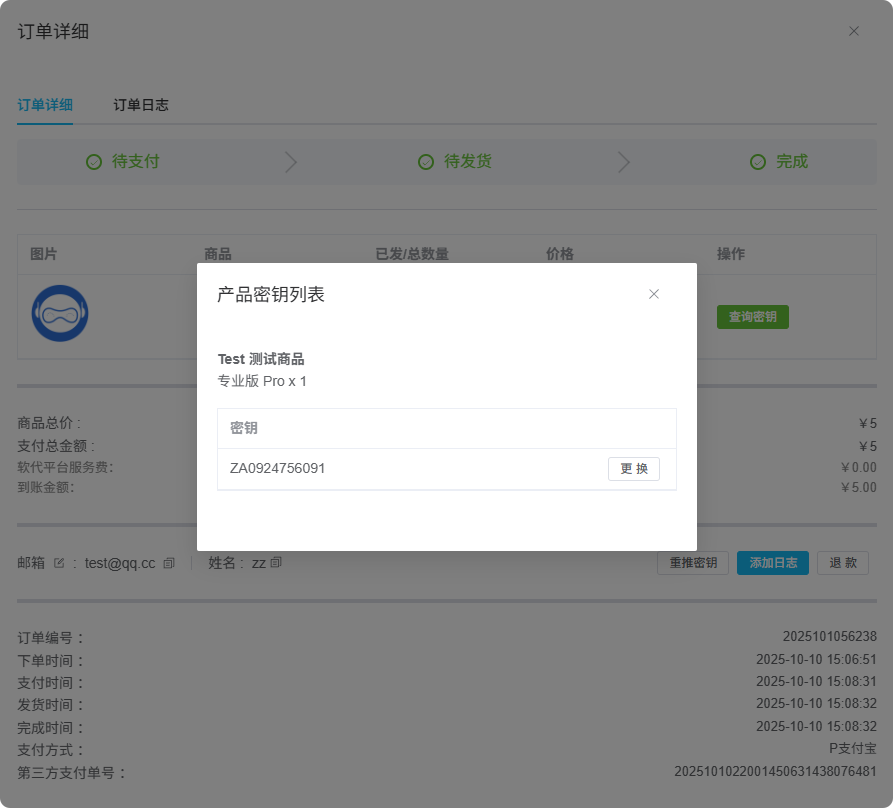
Replace License Key Operation
Refund Operations
When refunding a user, you can choose:
| Refund Type | Description |
|---|---|
| Partial Refund | Refund a portion of the amount |
| Full Refund | Refund the entire amount |
Refund Methods:
- Original Payment Method - Refund returns to user's original payment account
- Offline Refund - Refund through other methods
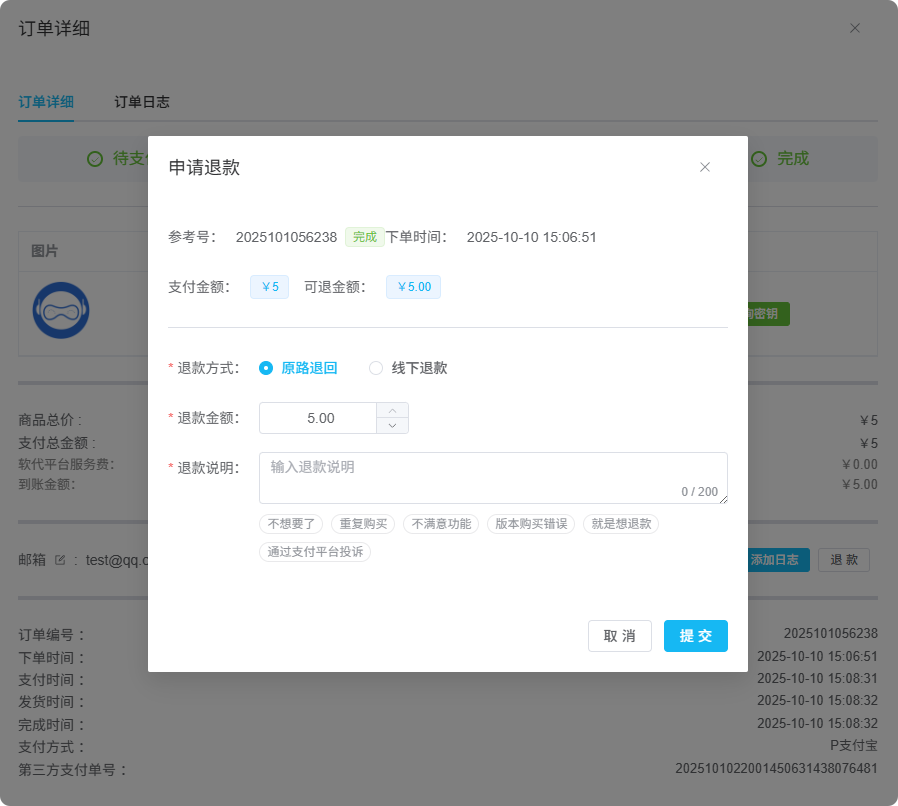
Refund Operation Interface