This guide will introduce how to manage products in the APSDAI system, including product list overview and basic information configuration.
Product List Overview
In the APSDAI Merchant Center's Warehouse List, you can see that the system has added a sample product by default to help you quickly understand the product display effect.
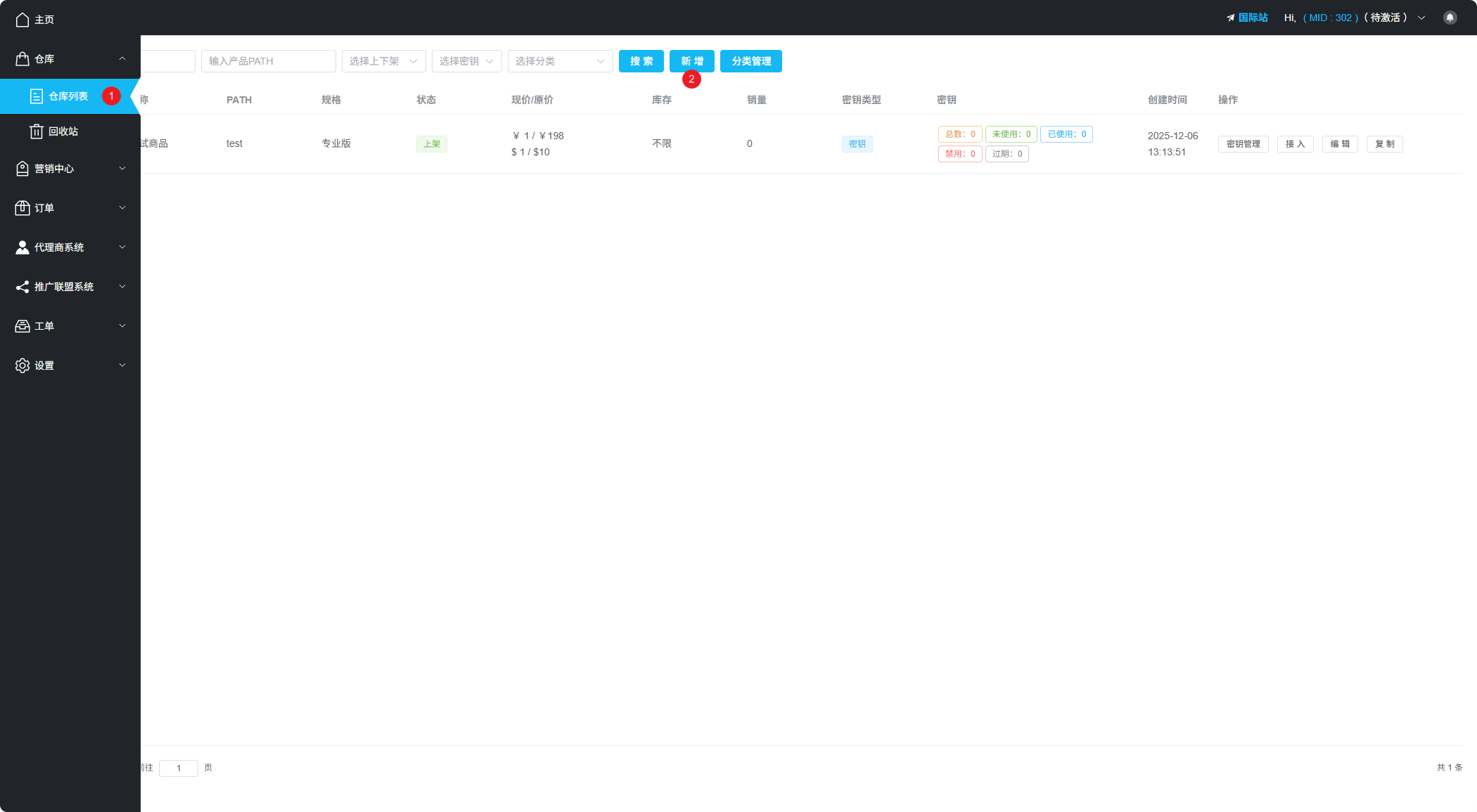
Merchant Center Warehouse List Interface
Create New Product
After clicking "New Product", you will see the product configuration page.
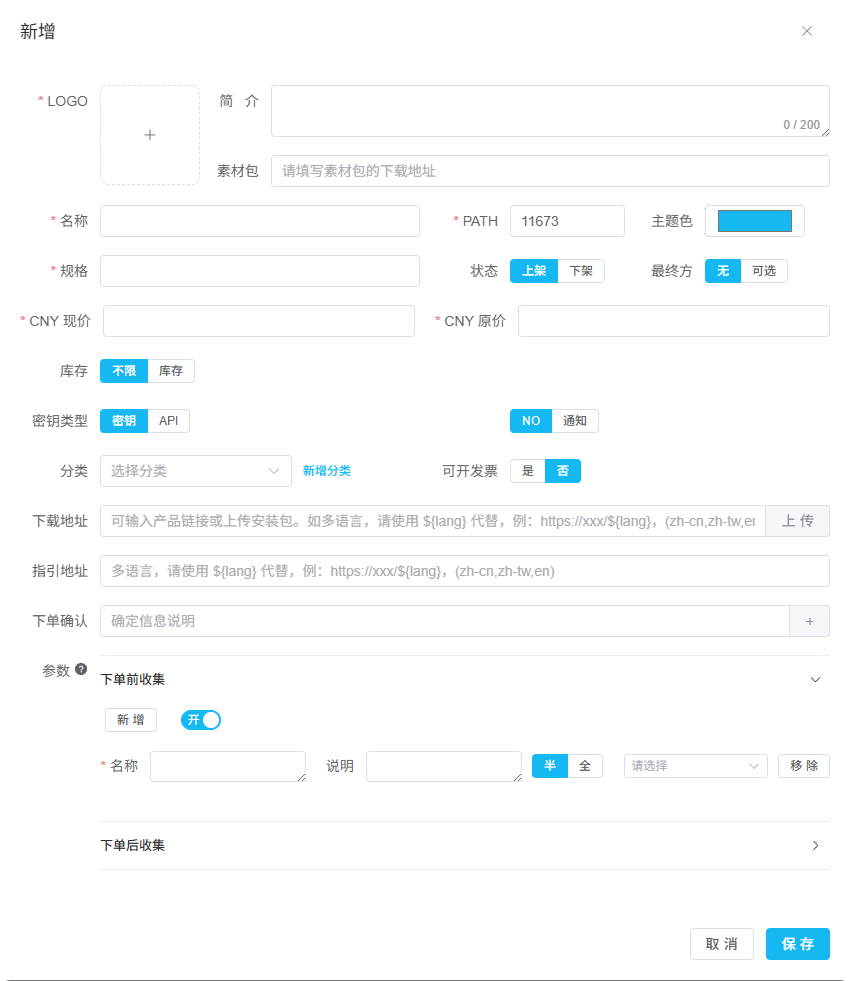
Product Configuration Page
Basic Information Configuration
Below is a detailed explanation of each parameter for product basic information:
| Parameter | Description |
|---|---|
| Logo Image | Recommended to upload a 512×512px PNG format image for best display |
| Name | Your software product name |
| PATH | Unique product identifier, auto-generated by system, can be manually changed to numbers or letters. Cannot be modified after saving |
| Theme Color | Main color of the payment popup, recommended to match your website theme or logo color |
| Description | Optional, will be displayed in the "Affiliate Program" product list |
| Resource Pack URL | Optional, for affiliates to download promotional materials |
PATH Note
PATH is the unique identifier for the product. Once saved, it cannot be modified. Please confirm carefully before saving.
Related Documents
- Pricing & Inventory
- License Key Warehouse
- Advanced Configuration
- Add Your First Product (Complete Guide)